Whether you ride indoors on a trainer or outdoors on the road, a reliable speed sensor helps you track pace, distance, and cadence with precision. This guide reviews five prominent speed and cadence sensors, comparing compatibility, setup, and data integration with popular apps and devices. Each option is chosen for accurate readings, broad device support, and ease of use, making it easier to pick the right sensor for your bike and training goals.
| Product | Type | Connectivity | Notable Feature |
|---|---|---|---|
| Magene S3+ Outdoor/Indoor Speed/Cadence Sensor | Speed & Cadence | Bluetooth / ANT+ | Single-mode per sensor; requires two units to monitor both metrics simultaneously |
| Wahoo RPM Cycling Cadence Sensor | Cadence | Bluetooth / ANT+ | Dual-band with broad app compatibility and training integration |
| Garmin Bike Speed 2 | Speed | ANT+ / Bluetooth | Self-calibrates with Garmin devices; hub-mounted |
| CYCPLUS Bike Speed & Cadence Sensor | Speed & Cadence | Bluetooth / ANT+ | Two sensors included; quick mode switching |
| COOSPO Cadence & Speed Sensor (BK467) | Speed & Cadence | Bluetooth / ANT+ | Two-in-one package with multi-protocol support |
Magene S3+ Outdoor/Indoor Speed/Cadence Sensor
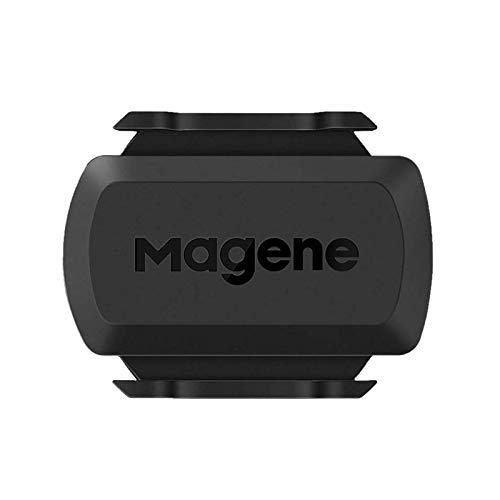
The Magene S3+ is designed for both indoor trainers and outdoor bikes, offering wireless Bluetooth and ANT+ compatibility. It supports speed or cadence mode per sensor, so users typically deploy separate sensors for each metric to capture full data streams. Installation involves removing an insulating sheet from the pre-installed battery for first use and configuring the desired mode. While the sensor can connect to multiple devices via ANT+ in some scenarios, Bluetooth connections are limited to a single app or device at a time. This sensor pairs well with platforms like Zwift and other bike computers.
Wahoo RPM Cycling Cadence Sensor
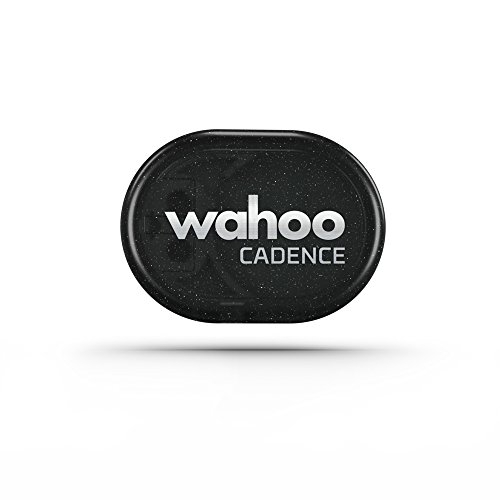
The Wahoo RPM Cadence Sensor focuses on cadence measurement but offers broad compatibility with training apps and devices via Bluetooth and ANT+. It tracks revolutions per minute and supports syncing with popular platforms like Zwift and Peloton Digital apps, making it a strong choice for cadence-centric training. The dual-band technology enables data sharing with multiple devices, depending on the app and device capabilities, ensuring you can monitor cadence across your training ecosystem.
Garmin Bike Speed 2

Garmin’s Speed Sensor 2 attaches to the hub of either wheel and self-calibrates with compatible Garmin devices, delivering accurate speed and distance data in real time—whether you’re indoors or outdoors. It uses ANT+ and Bluetooth Low Energy for data sync with Garmin Connect and other training apps. The cadence capabilities are separately addressed by Garmin’s cadence sensor products, but this speed sensor is notably reliable for Garmin ecosystems and hub-based measurement.
COOSPO Cadence and Speed Sensor (BK467)
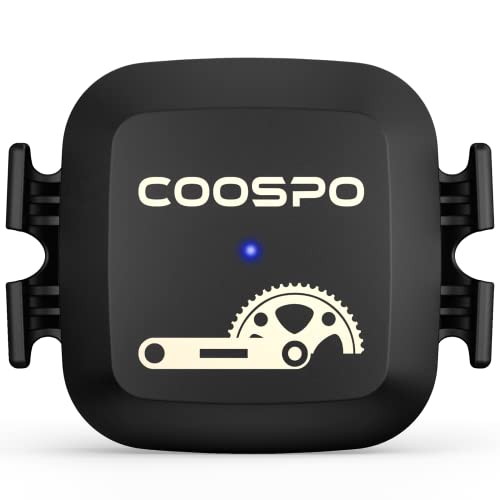
The COOSPO BK467 provides a two-in-one RPM cadence and speed sensor experience with Bluetooth and ANT+ compatibility. It supports simultaneous connections on ANT+ to multiple devices and can pair with most bike computers and apps. The sensor package typically includes two sensors, offering the flexibility to monitor both speed and cadence or to use one sensor for redundancy. Installation emphasizes easy mounting on most bike frames and compatibility with popular training apps like Rouvy, Peloton, and Wahoo apps.
Buying Guide: Key Purchase Considerations
- Compatibility: Check whether the sensor supports Bluetooth, ANT+, or dual-band. If you use multiple devices or apps (Zwift, Wahoo, Garmin Connect, Peloton), ensure the sensor can connect to all of them either simultaneously or with minimal switching.
- Single vs. Dual Sensor Setup: Some sensors are single-mode (either speed or cadence) per unit, meaning you may need two units to capture both metrics. If you want a one-piece solution, look for dual-sensor packages or two-in-one models.
- Hub Mounting vs. Crank Mounting: Speed sensors are often hub-mounted, while cadence sensors mount on the crank or pedal. Consider your bike’s frame compatibility and the level of maintenance you’re willing to perform.
- Calibration and Setup: Some sensors self-calibrate or offer straightforward setup through apps. Garmin devices, for example, benefit from seamless Garmin Connect integration, but others may require manual wheel size entry or app pairing steps.
- Battery and Longevity: Battery type and life vary by model. Ensure you understand how to replace the battery and whether the unit ships with a fresh battery and instructions for first use.
- Data Accessibility: If you prefer exporting data to training logs or third-party apps, verify data formats and compatibility. ANT+ often provides broad compatibility, while some Bluetooth-only models may be limited to specific apps.
- Ease of Installation: Look for mounting versatility and compatibility with a wide range of bikes, including road and indoor trainers. Adjustable mounts and clear installation guides reduce setup time.
- Durability and Weather Resistance: Indoor trainers expose sensors to sweat and humidity; choose models with solid build quality and water resistance suitable for indoor use and occasional outdoor rides.
- Price-to-Feature Ratio: Compare included features (speed, cadence, auto-calibration, app compatibility) against price. A dual-function sensor with broad app support often represents the best value for many riders.
In summary, the best choice depends on your current equipment and training goals. For Garmin users, hub-mounted Speed 2 sensors deliver reliable performance with Garmin Connect. If you ride with Zwift or Wahoo ecosystems, dual-band sensors like Wahoo RPM or COOSPO’s two-in-one packages provide broad app compatibility. For riders needing both speed and cadence in a compact setup, Magene and CYCPLUS offer practical multi-sensor options with straightforward setup. Consider your preferred apps, device compatibility, and how many devices you want to connect when making your selection.
Add a Comment