Choosing the right RPM monitor for a spin bike can improve cadence training, endurance, and overall cycling performance. The following hand-picked products deliver reliable cadence and speed data, compatible with popular apps and devices. Each option supports ANT+ and Bluetooth, with varying installation styles and app ecosystems. Read on to compare features, compatibility, and setup considerations to find the best RPM sensor for your ride.
| Product | Brand | Key Features |
|---|---|---|
| Wahoo RPM Cycling Cadence Sensor | Wahoo Fitness | Cadence and speed tracking; Bluetooth & ANT+; compatible with Wahoo apps and Zwift |
| Magene S3+ Sensor | Magene | Speed/Cadence sensor; dual protocol; app compatibility varies by mode |
| Garmin Cadence Sensor 2 | Garmin | ANT+ and Bluetooth LE; easily attaches to crank; works with Garmin ecosystem |
| Sunny Health & Fitness CB110 | Sunny Health & Fitness | Bluetooth-enabled with SunnyFit app; magnet-free design |
| COOSPO Bicycle Cadence & Speed Sensor | CooSpo | Two sensors included; Bluetooth and ANT+ compatibility; multi-device support |
These options span premium ecosystem integrations, magnet-free designs, and broad device compatibility. The right pick depends on your existing gear, preferred apps, and whether you want simultaneous speed and cadence data or single-mode measurements. The sections below detail each product’s strengths, installation notes, and ideal use cases.
Wahoo RPM Cadence Sensor For Outdoor, Spin And Stationary Bikes
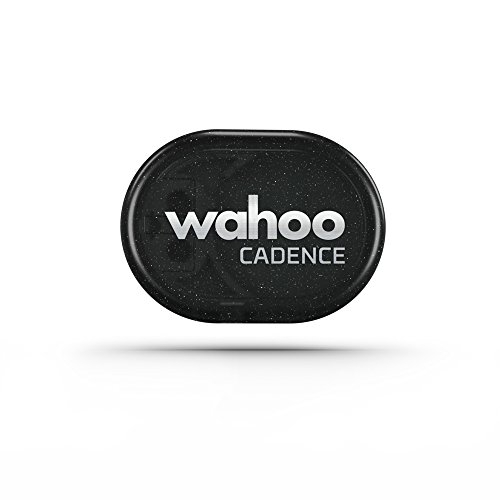
The Wahoo RPM Cycling Cadence Sensor offers real-time cadence and speed data through Bluetooth. It integrates with popular training apps including Wahoo SYSTM, Zwift, Peloton Digital, and other Bluetooth-enabled platforms. The device measures cadence as revolutions per minute and helps cyclists optimize efficiency, enabling longer, faster rides. Dual-band technology (ANT+ and Bluetooth Smart) ensures compatibility with a wide range of devices, bike computers, and smartphones, making it a versatile choice for spin bikes and home training setups.
Ideal for riders who want seamless app integration and broad device compatibility. The sensor mounts quickly to the crank, avoiding magnets, and provides clear cadence metrics to improve pedal cadence and endurance. Consider this option if you already use Wahoo’s ecosystem or rely on multiple training apps that support Bluetooth or ANT+.
Magene S3+ Indoor/Outdoor Speed & Cadence Sensor
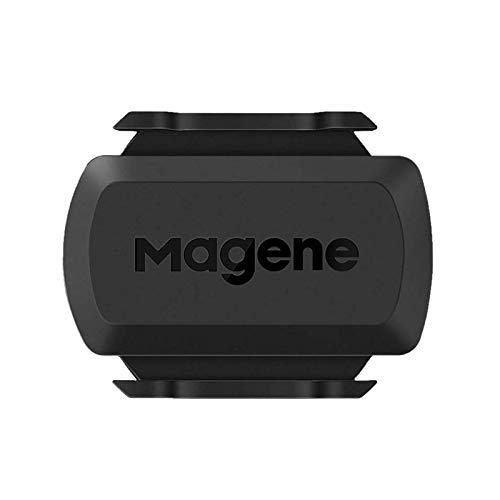
The Magene S3+ combines speed and cadence sensing with dual protocol support. It operates via Bluetooth and ANT+ and is compatible with various bike computers and training apps. The sensor supports both modes, though one sensor can only operate in a single mode at a time, so some users may opt for separate sensors to track both speed and cadence concurrently. It is designed for versatile use with road bikes, spin bikes, and training platforms like Onelap and Zwift.
Use this sensor if you value broad protocol support and flexible device connections. Note that you’ll need to manage mode selection (speed or cadence) per sensor, which can influence setup for real-time multi-metric views. A solid choice for multi-app users who want ANT+ and Bluetooth compatibility.
Garmin Cadence Sensor 2

The Garmin Cadence Sensor 2 is designed for easy attachment to any crank arm and provides pedal cadence data with ANT+ and Bluetooth LE. The sensor syncs with Garmin Connect and other training apps, delivering detailed cadence analytics that are valuable for indoor and outdoor training. Its broad compatibility with Garmin devices and third-party apps makes it a reliable choice for athletes using Garmin ecosystems or seeking robust data sharing across platforms.
Choose Garmin if you’re invested in the Garmin Connect community or want a durable, easy-to-mount sensor that reliably transmits cadence data to multiple devices. Its compatibility with a wide array of devices helps ensure you can continue to use the same sensor as your training setup evolves.
MOOFIT Speed/Cadence Sensor, Dual Protocol

The Moofit Speed/Cadence Sensor kit uses ANT+ and Bluetooth, enabling connections to bike computers, apps, and smart devices. It supports real-time cadence and speed data streaming with compatibility across popular apps, including Wahoo Fitness, Rouvy, and Peloton. The dual-protocol design enhances flexibility for mixed training environments, making it a practical option for riders who train with multiple platforms and devices.
Moofit’s design focuses on straightforward installation without magnets, simplifying setup. If you value broad app compatibility and a magnet-free installation, this sensor offers a balanced mix of performance and convenience for spin bikes and home trainers.
Moofit Cadence Speed Sensor, Dual Protocol

This Moofit model offers BLE and ANT+ connections, with real-time data streaming for cadence and speed. It attaches to the left crank and wheel hub, respectively, delivering straightforward installation for spin bikes and indoor trainers. Real-time metrics integrate with compatible training apps, providing a reliable way to monitor and adjust cadence during workouts. The IP67-rated waterproof build adds robustness for varied training environments.
COOSPO Bicycle Cadence & Speed Sensor

The COOSPO kit includes both a cadence sensor and a speed sensor, allowing tracking of cadence and speed simultaneously. It supports Bluetooth and ANT+ connections with multiple device support when using ANT+. Effective for riders who want a complete dual-sensor solution in one package. The setup process emphasizes sensor pairing via the app, and COOSPO notes that you should search for sensors within the respective app for reliable connections.
Sunny Health & Fitness CB110 Cadence/RPM Sensor

The Sunny Health CB110 provides Bluetooth connectivity to the SunnyFit app, enabling tracking of RPM, speed, and calories. The SunnyFit platform offers a library of workouts, tours, and community features that can augment cadence training. The magnet-free design simplifies installation and reduces alignment fiddling, promoting quick setup for home gym use.
Buying Guide: Key Considerations For Choosing An RPM Monitor
- Compatibility: Check which protocols (ANT+, Bluetooth, or both) your bike computer, smartwatch, or training apps support. If you use multiple apps, a dual-protocol sensor minimizes compatibility concerns.
- Mode handling: Some sensors track cadence and speed separately and require separate units to monitor both metrics simultaneously. Evaluate whether you prefer a single dual-sensor solution or two dedicated sensors.
- Installation: Magnet-free sensors reduce setup complexity and misalignment. Confirm how the sensor attaches to the crank arm or wheel hub and whether mounting accessories are included.
- App ecosystem: If you rely on platforms like Zwift, Peloton, Garmin Connect, or Wahoo, ensure the sensor integrates smoothly with those ecosystems.
- Durability and water resistance: IP ratings and build quality matter for regular indoor use and varied room conditions.
- Future compatibility: Consider whether you might upgrade to a different trainer or computer; a sensor with broad compatibility reduces future replacement needs.
- Battery life and maintenance: Look for sensors with long-lasting batteries and straightforward battery replacement or recharge options.
When selecting an RPM monitor for a spin bike, balance your preferred apps, device ecosystem, and installation convenience. For users already in the Garmin or Wahoo ecosystems, starting with a compatible sensor from those brands can simplify data syncing. If you train with multiple third-party apps, a dual-protocol sensor provides the greatest flexibility. Magnet-free designs are generally quicker to set up, but ensure the chosen model reliably communicates with your devices and apps.
Add a Comment